
ChatGPT, explained without the hype
ChatGPT is an AI chatbot made by OpenAI — an OpenAI chatbot — that understands questions written in natural language and replies in natural language. You type a prompt, such as a question or a request to draft something, and it generates a written answer. It can explain a topic, summarise a long text, brainstorm ideas, draft an email, help with code, or turn rough notes into a readable paragraph. It is not a search engine, a person, or a database of verified facts, even when its answers sound confident. It is a text generation tool, and that single distinction explains most of its strengths and most of its mistakes.
If you have never used it, think of it as a very capable AI assistant that is fast, fluent, and sometimes wrong. The skill is in asking well, checking what matters, and knowing when a human or a reliable source must have the final say.
Table of Contents
What ChatGPT can do, and what it cannot do
People overestimate ChatGPT in both directions: some expect a flawless expert, others dismiss it as a toy. This chatgpt explained overview starts with a realistic split.
| It does well | It does poorly, or should not be trusted alone for |
|---|---|
| Explaining ideas in plain language, at different levels of detail | Facts that must be exact, such as current news, prices, medical guidance, or legal advice |
| Drafting, summarising, brainstorming, and restructuring text | Anything where a confident-sounding error would be costly, without independent checking |
| Helping you learn, plan, and practise, with examples and quizzes | Private or sensitive information you would not want stored or shared |
| Drafting code, explaining errors, and suggesting approaches | Replacing professional judgement, original research, or a qualified expert |
That table is the short version of chatgpt limitations. It can save hours on a first draft, but it cannot guarantee truth or know whether its answer matches your exact situation. Use it to move faster, not to outsource judgement.
How ChatGPT works, in plain language
So how does chatgpt work? At its core, ChatGPT is built on a large language model, often shortened to LLM: a machine learning model trained on vast amounts of text, or training data, learning patterns in how words and ideas tend to follow one another. When you send a prompt, it does not look up a ready-made answer in a filing cabinet. It predicts, word by word, what a helpful continuation of your prompt is likely to be, based on those patterns.
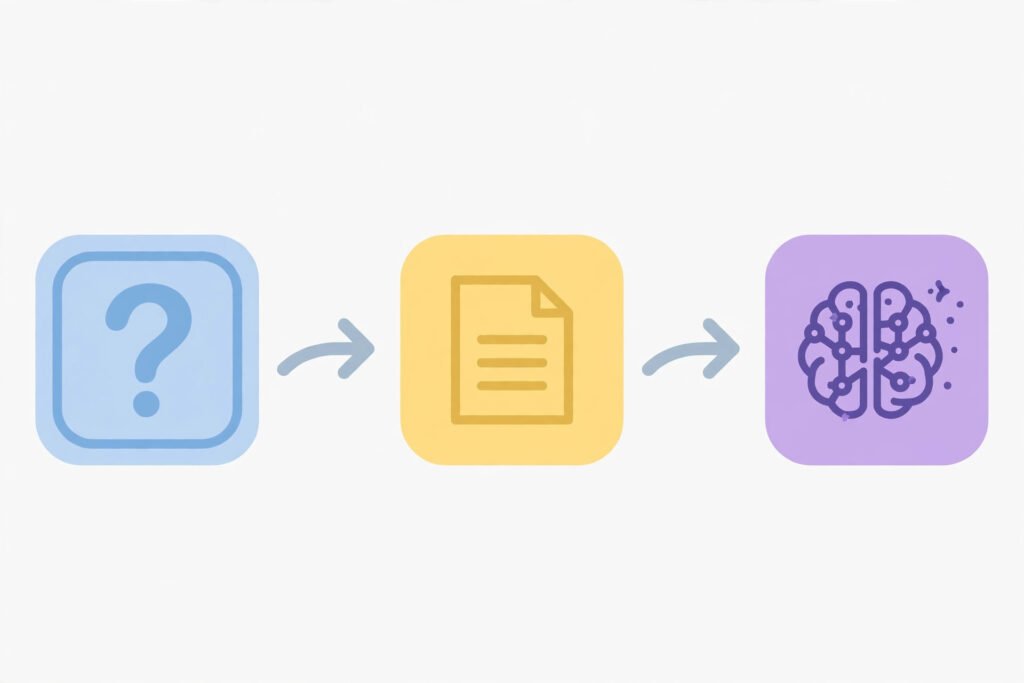
That is why its writing feels natural: it has learned the shape of explanations, emails, stories, code, and conversations. It is also why it can invent plausible details. The model optimises for fluent, likely text, not verified truth. ChatGPT is a kind of chatbot, but far more flexible than rigid menu-based bots. Under the surface, it relies on machine learning and a neural network design called the Transformer, which helps it weigh which earlier words matter most. The model family is called GPT, and developers often build tools with Python, running on graphics processors from NVIDIA, or GPUs.
You only need to remember the consequence: because it predicts text rather than retrieving facts, every important claim deserves a check, especially names, numbers, dates, and quotes.
How to use ChatGPT well: a step-by-step walkthrough
Good results usually come from a deliberate process rather than one lucky prompt. This is the workflow behind effective chatgpt prompts and prompt engineering.
Step 1: Decide what you need. A summary? A first draft? Ideas? An explanation for a beginner? If you cannot state the outcome in one sentence, ChatGPT will guess, and its guess may not match yours.
Step 2: Give context and constraints. Tell it who the reader is, how long the answer should be, what tone to use, and what to avoid. “Explain photosynthesis to a 12-year-old in three short paragraphs” will beat “Tell me about photosynthesis” almost every time.
Step 3: Ask for structure. Headings, bullet points, a table, or a step-by-step plan make answers easier to check and use. If the first answer is too general, ask: “Now give one example for each point.”
Step 4: Iterate, don’t accept the first draft. Ask it to shorten, simplify, add an example, or rewrite for a different reader. Conversational AI works best as a conversation, not a single command.
Step 5: Check what matters. Verify facts, quotes, and links against a reliable source before you publish, submit, or act on them. If ChatGPT gives you a citation, open it. A citation that looks real is not proof that it is real.
Step 6: Make it yours. Edit the wording, add your own examples, remove anything you cannot stand behind, and keep your voice. An unedited AI draft rarely says exactly what you mean.
A worked example: from a vague prompt to a useful answer
Suppose you need a short email asking a client to confirm a meeting time. A vague prompt gets a vague result:
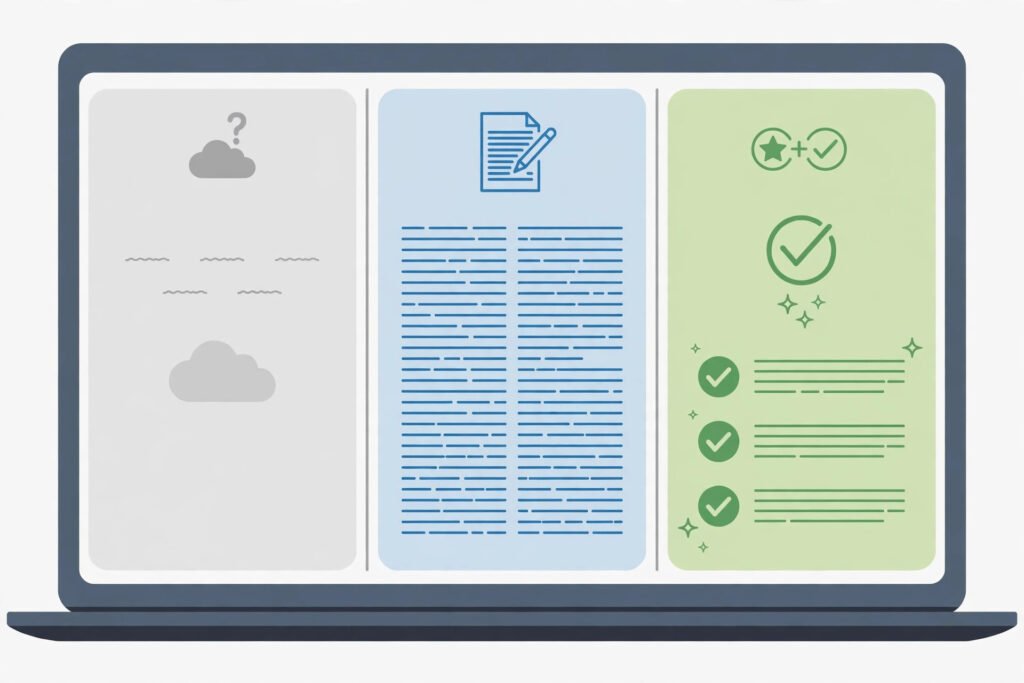
Vague prompt: “Write an email about a meeting.”
That prompt leaves everything open: who the reader is, which times are available, and what tone fits. The result will be generic, and you will still have to rewrite most of it.
Now try a specific prompt:
Better prompt: “Write a polite email, under 120 words, to a client named Sara, asking her to confirm whether Tuesday at 10 a.m. or Wednesday at 2 p.m. suits her for a 30-minute project review. Keep the tone warm and professional, and end with one clear question.”
The second prompt gives the model a reader, a purpose, options, a length, and a tone. The draft will still need your check — are the times right, is Sara the right name? — but the editing job shrinks from rewriting to refining. That is the real value of chatgpt for writing: removing the blank page so your judgement can work on something concrete.
The same principle applies to learning. Instead of “Explain inflation,” try “Explain inflation to a beginner using a grocery-shopping example, then give me three questions to test whether I understood.” You get an explanation plus a way to check understanding.
ChatGPT vs Google Search: when to use which
This is a common chatgpt vs google search question, and the answer is that they do different jobs. A search engine finds existing pages and current information. ChatGPT generates a new answer shaped around your question.
Use search when you need a specific source, the latest news, an official page, or a fact you can cite. Use ChatGPT when you need an explanation tailored to your level, a draft to edit, or help turning messy notes into a clear structure. Often the best workflow uses both: ask ChatGPT to explain the background, then use search to verify key facts from primary sources.
Google Gemini and Anthropic Claude are also conversational AI tools built on large language models, and Microsoft’s Copilot brings similar assistance into its products. They differ in features, but the same rule applies: fluent does not mean verified.
Common mistakes people make with ChatGPT
Copying the first answer without checking it. This is the biggest mistake, especially for schoolwork and work reports. AI text can contain invented quotes, wrong dates, and plausible but false details.

Sharing private information in a prompt. Do not paste passwords, private messages, unpublished work you must keep confidential, or medical details. Assume anything you type could be stored under the service’s terms.
Asking it to decide for you. ChatGPT can list pros and cons and explain options, but it does not know your values, budget, or full situation. Use it to think more clearly, not to hand over an important decision.
Treating it as a source. “ChatGPT said so” is not a citation. If you need evidence, find the original source yourself. If you cannot find one, do not publish the claim.
Using it to fake originality. Submitting AI-generated work as entirely your own, without disclosure where disclosure is required, can break school or workplace rules. Check the rules that apply to you first.
Expecting it to be up to date on everything. ChatGPT may not know recent events. For current information, search for a current, authoritative source.
Practical checklist: what to do next
If you are new to ChatGPT, start here:
- Start with a low-risk task, such as summarising notes or brainstorming titles.
- Write prompts with a reader, a purpose, a length, and a tone, and iterate instead of settling for the first draft.
- Check names, numbers, dates, and quotes before you use them anywhere important.
- Keep private information out of prompts.
- Find and cite original sources for any claim you publish or submit.
- Edit every draft into your own voice, and remove anything you cannot verify.
- Learn your school or workplace rules on AI use and disclosure, and follow them.
- For medical, legal, financial, or safety-critical questions, consult a qualified professional.
That checklist also answers: is chatgpt safe to use? For everyday learning and drafting, used with the checks above, it is a practical tool. It becomes risky when private data goes in, unverified answers go out, or important decisions are delegated to it.
Related Reading
Frequently asked questions
What is ChatGPT used for?
Its chatgpt uses include explaining topics, drafting text, summarising documents, brainstorming, learning with examples, helping with code, and planning. The best uses are ones a human still checks and edits.
Is ChatGPT free?
There is a free tier, and paid plans offer more capacity and extra features. Plans change over time, so check OpenAI’s current offering. For casual learning and drafting, the free tier is a sensible place to start.
How does ChatGPT work?
It is based on a large language model trained on vast amounts of text. When you send a prompt, it predicts the most likely helpful continuation, word by word. That is why its answers sound natural, and also why they can be wrong: it generates likely text, it does not retrieve verified facts.
Can ChatGPT write essays?
It can draft an essay, outline one, or help improve one. Whether you should submit AI-written work depends on your school or workplace rules, and many require disclosure or forbid it outright. Even where drafting help is allowed, verify facts, add your own thinking, and take responsibility for every claim.
Is ChatGPT accurate?
It is often accurate on general explanations, but it can also produce confident errors, especially on specific facts and recent events. Treat it as a starting point, not a source. For anything important, verify against a reliable source, and be extra careful with numbers, names, and dates.
The bottom line
ChatGPT is best understood as a fast, fluent AI chat assistant, not as an oracle. It explains, drafts, summarises, and brainstorms remarkably well. Its limits are just as clear: it predicts text rather than verifying truth, it does not know your situation, and it should not receive your private information or make your important decisions.
Use it like a talented junior colleague: give clear instructions, expect a useful first draft, check the work, and keep the final call yourself. An algorithm can generate the words, but only you can decide whether they are true, fair, and worth saying.